How to add a link to your Instagram story
How to add a link to your Instagram story: tap Stickers, pick Link, enter your URL, share. Anyone who sees it can tap.
ManySetter teamUpdated 5 min read
On this page
Chapter 01Step by step
Add the Instagram link sticker
Start a story
Pick the photo or video you want to share to your story.
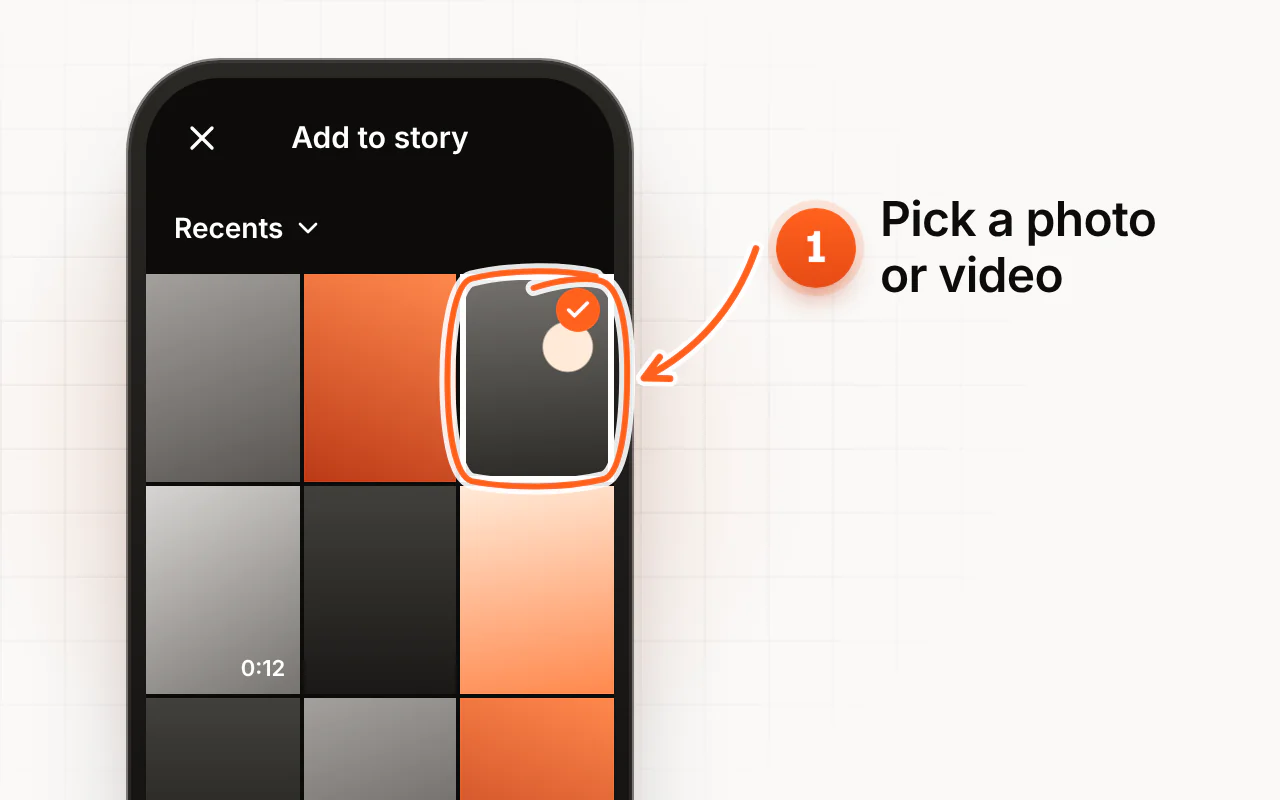
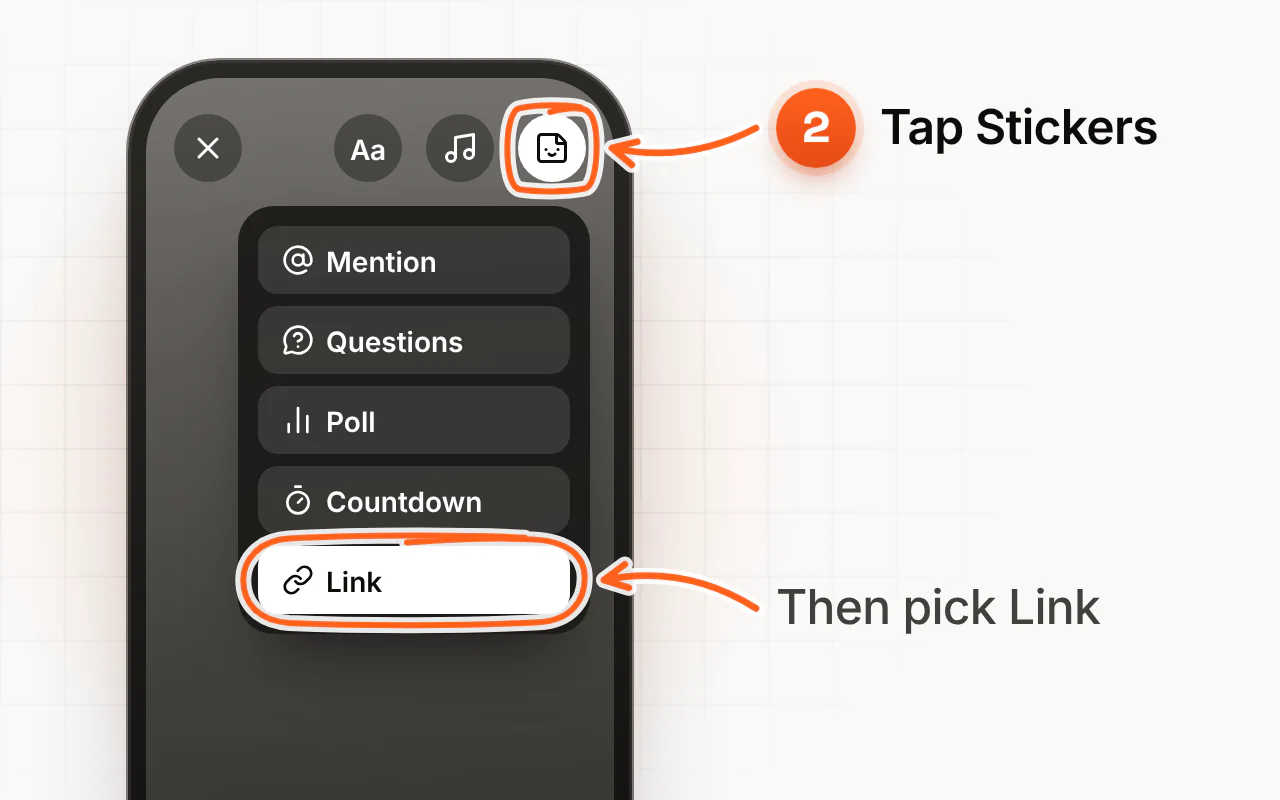
Tap Stickers
Where to click: StickersLink
Stickers sits at the top of the screen. Pick Link from the list.
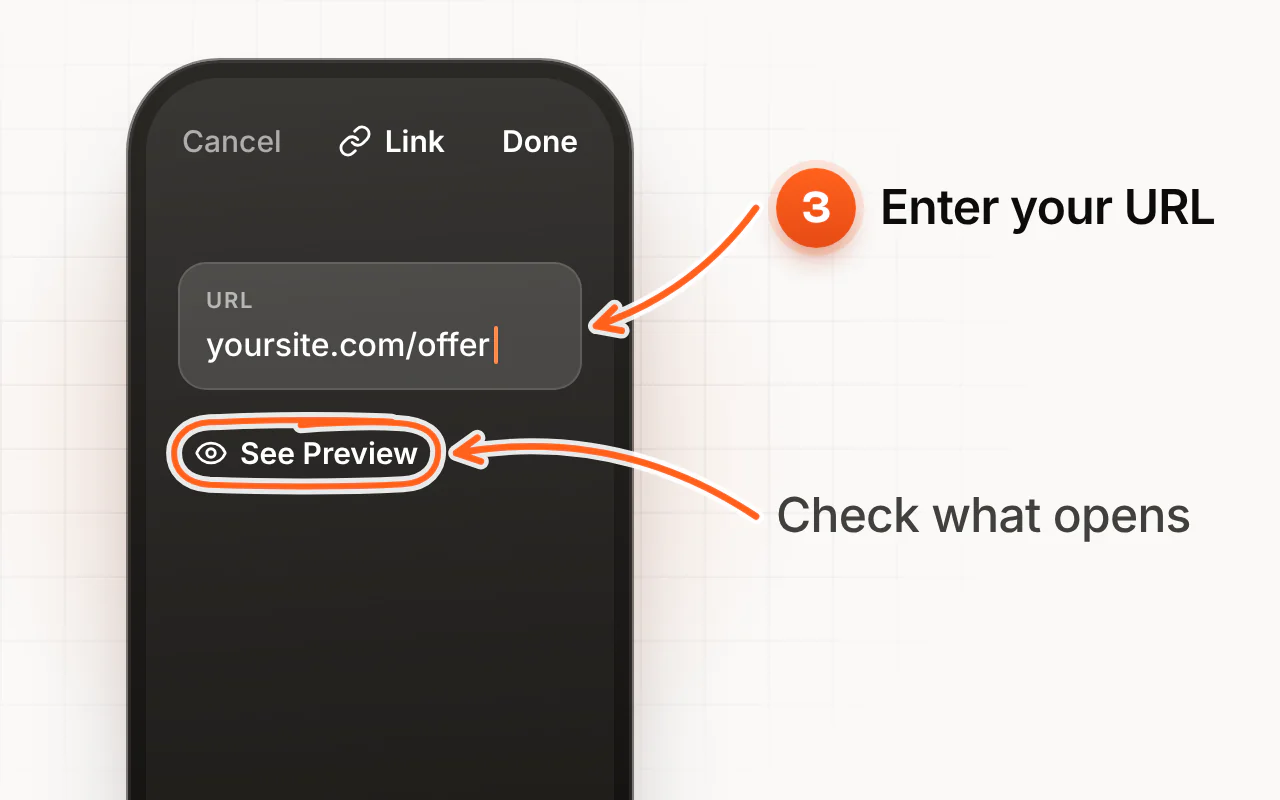
Enter your URL
Tap See Preview below the link to check what people will open.
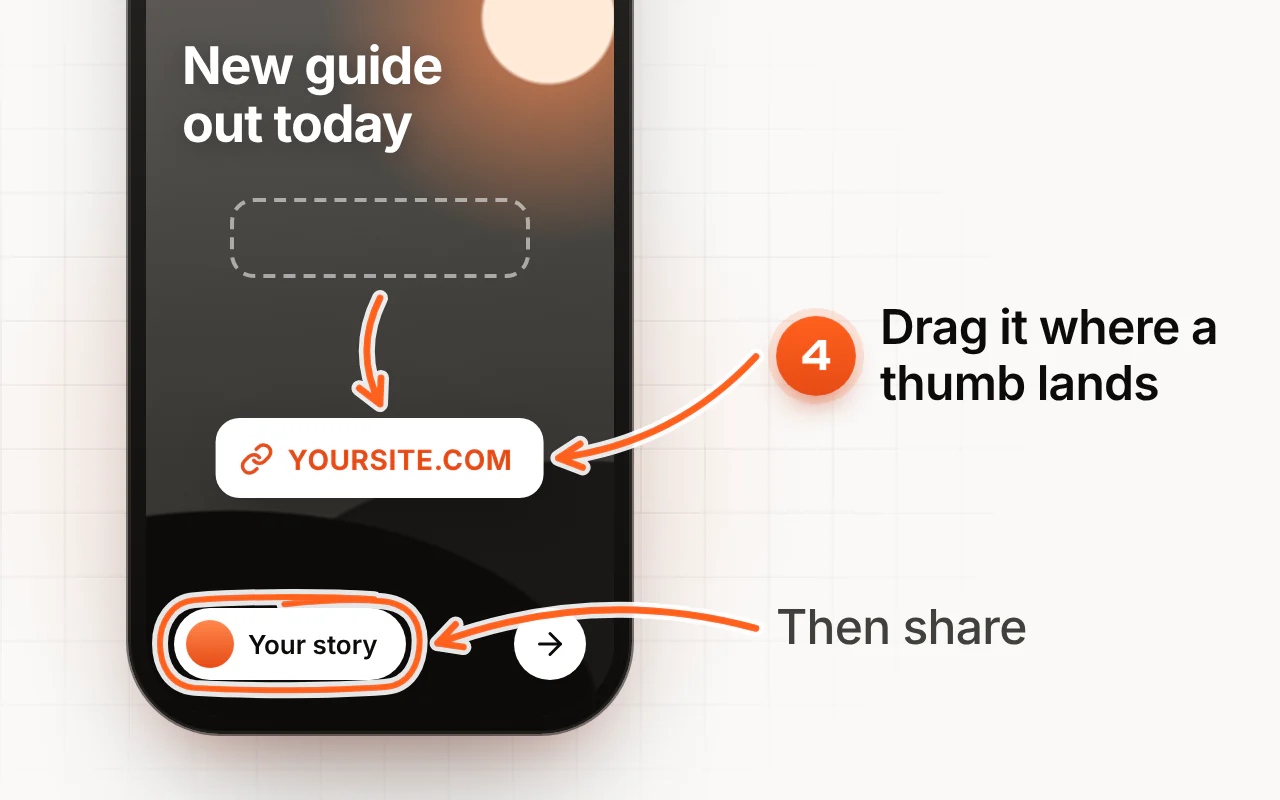
Place it and share
Put the sticker where a thumb finds it easily, then share your story.
Who can tap it
Anyone who can see your story can tap the sticker to visit the link, per Instagram Help (opens in a new tab), checked November 4, 2026.
Chapter 02Fixes
No Link sticker? Check this
Update the app
Instagram’s first fix for a missing sticker: update Instagram on your phone.
Not every sticker, everywhere
Instagram says not all stickers are available to everyone, or for Reels.
Boosting the story?
A boosted story can’t carry a Link sticker. Add the link as an action button in the ad instead.


The action button only works on a story with no sticker or interactive element (Boost an Instagram story (opens in a new tab)).
Chapter 03Insights
Count your link taps
A story leaves your profile, Feed and messages after 24 hours, unless you add it to your highlights. Its numbers stay:
What story insights count
| Metric | What it counts |
|---|---|
| InteractionsWhat it counts: Link taps, sticker taps, replies and shares | Link taps, sticker taps, replies and shares |
| Accounts engagedWhat it counts: Unique accounts that interacted, like tapping a sticker | Unique accounts that interacted, like tapping a sticker |
| Profile activityWhat it counts: Profile visits, follows and website clicks from the story | Profile visits, follows and website clicks from the story |
Live story
Where to click: Your profile pictureActivityInsights
Open your story, then tap Activity and Insights.
Past story
Where to click: InsightsContent you shared
From your profile’s Insights, or Your dashboard on a personal account. Then pick the story.
ManySetter
Turn story taps into conversations
Send story viewers to your DMs. ManySetter answers them in your voice, qualifies the lead and books the call.
- Answers the DMs your story starts
- Asks your fit questions
- Books calls on your calendar
Build and test free · Works with a Manychat account
Chapter 04For businesses
Send viewers to your DMs
A website link sends people away. If you sell through conversations, the sticker can open a chat with you instead:
Where your Link sticker can point
| Link | What opens | Good for |
|---|---|---|
| Your websiteWhat opens: Your page, in a browserGood for: Buying or booking now | Your page, in a browser | Buying or booking now |
| ig.me/m/usernameWhat opens: A chat with your accountGood for: Questions before they buy | A chat with your account | Questions before they buy |
| Manychat Ref URLWhat opens: A chat that starts your automationGood for: Knowing which story worked | A chat that starts your automation | Knowing which story worked |
Test before you post
Instagram Help doesn’t say how an ig.me link behaves inside a Link sticker. Make yours with the DM link generator, then tap it from a second account, on iPhone and Android.
Chapter 05Another way
Or ask for a reply
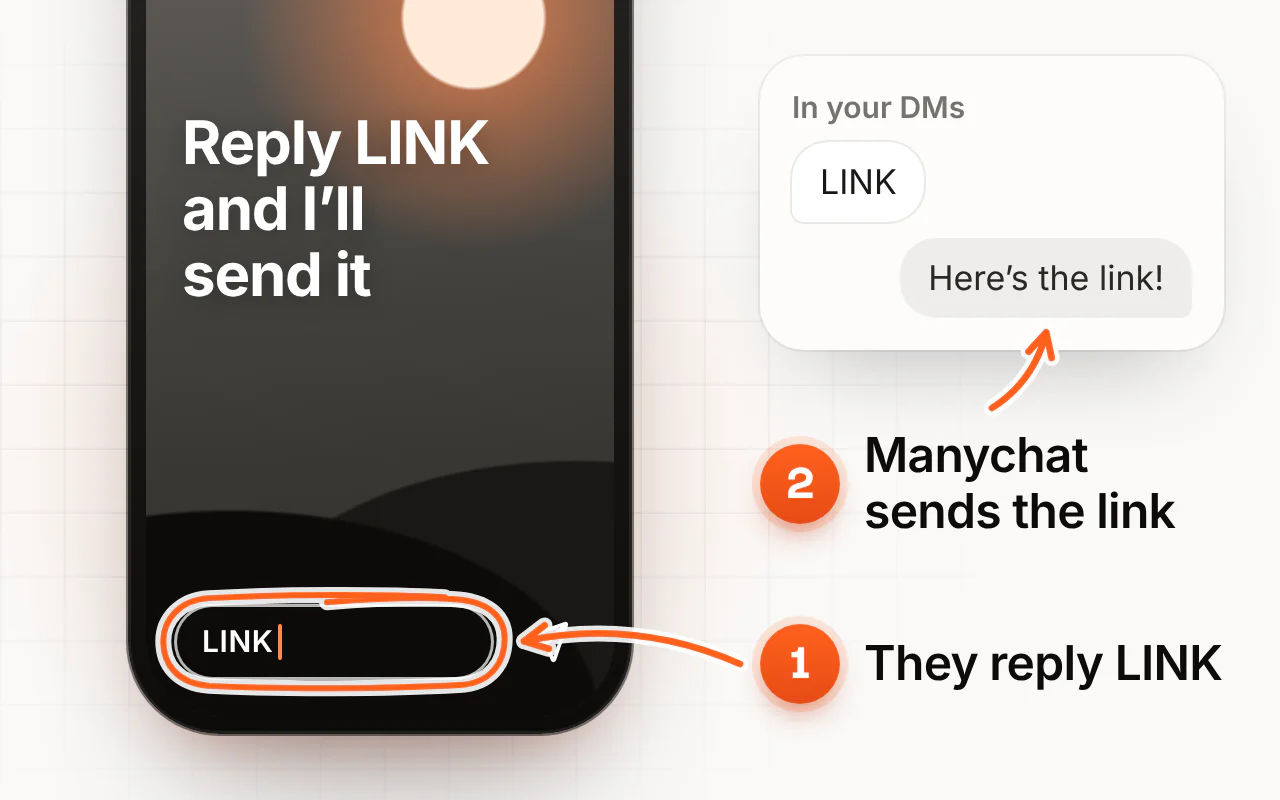
A story that says “Reply LINK and I’ll send it” keeps people in your DMs from the first second. Manychat’s Story Reply trigger sends the link:
- 01StoryAsks for a reply
- 02Reply or emojiStarts the trigger
- 03DM with the linkWithin 24 hours
- 04One questionWhat they need
0 of 3 completed
Setup, reply controls and where replies land: see our story replies guide.
Chapter 06In practice
Qualify the DMs it starts
A tap or a one-word reply isn’t a lead yet. Answer fast, then ask what decides fit.
Answer while it’s live
The story is gone in 24 hours. Reply while they remember it.
Ask one fit question
What they want, by when, or their budget. One at a time.
Offer the call last
Only once they meet your fit rule. Otherwise, a helpful no.


